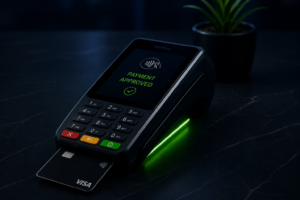

A payment terminal setup starts before the device arrives. The counter layout, available connection, staff workflow and customer experience all shape how useful the new setup will be.
Walk through the space with the employees who will use it. Then confirm the specific device requirements with your provider. A general product photo cannot answer every question about your location.
Start with the customer’s position
Where does the customer stand, and how will they reach the device? Can they see the screen and follow the prompts? Does the arrangement work when the counter is busy or a second employee is helping nearby?
Review the complete interaction, including any receipt choice. Use your organization’s accessibility requirements and ask the provider about mounting or placement options suitable for your location.
Confirm power and connection requirements
List the power and connectivity options actually available at the counter. Ask which ones the proposed device supports and who is responsible for preparing the connection. Do not assume every terminal uses the same setup.
Keep cables and equipment arranged according to your workplace and device guidance. Confirm who will install the device, how the setup will be tested and whom staff should contact if the connection becomes unreliable.
Map the handoff to your business software
Ask whether the proposed configuration connects to your existing software and which steps remain manual. Have the provider demonstrate the transaction reference, receipt and staff view you will use.
If your team works at several counters, ask how staff identify the correct device and record. Give each location a clear internal name so a support question does not begin with “the other terminal.”
Train for the ordinary day and the exception
Before launch, have authorized staff practice the routine steps in the provider’s approved test or demonstration environment. Include finding a record, reviewing a receipt and recognizing when a question needs escalation.
Agree on the approved process if the device or connection is unavailable. Do not create an improvised way to store payment details. The fallback should be confirmed with the responsible team before it is needed.
Finish with a documented handover
Record the device location, installation contact, staff training owner and support route. Confirm any account-specific fees, included equipment and service terms in writing before making a decision.
A successful payment terminal setup should leave the next employee knowing where to begin. Review our payment processing demo workflow for questions to bring to the conversation.
Schedule a conversation with GMS to discuss your counter, software and staff requirements.